
PS2 BIOS Europe (PAL) – Safe Download, Setup & Complete Guide for PCSX2 & AetherSX2

You downloaded the emulator. You found the game. You hit play.
Nothing. Black screen. Or the dreaded “No BIOS Found” message sitting there mocking you.
Here’s what nobody tells you clearly: your BIOS region must match your game region. If you’re in the UK, Germany, France, Spain, Australia, or anywhere else in the PAL world — you need the PS2 BIOS Europe. Not the USA file. Not the Japan version. The PAL one.
This guide fixes every step. Download. Setup. Compatibility. Errors. All of it.
What is PS2 BIOS Europe (PAL)?
The PS2 BIOS is firmware and the first thing that runs when you power on a PlayStation 2. Without it, no emulator boots any game — not PCSX2 or AetherSX2.
Sony created separate BIOS versions for each region. The PS2 BIOS Europe is the PAL firmware used in consoles across the UK, Ireland, Europe, Australia, New Zealand, and parts of the Middle East.
Sony launched the PS2 in Europe on 24 November 2000, using the PAL video standard, which influenced the BIOS, timing, and game display.
The European BIOS includes SCPH model numbers, typically in the SCPH-5xxxx or SCPH-7xxxx range ending in -2, -3, or -4, identifying PAL Europe units.
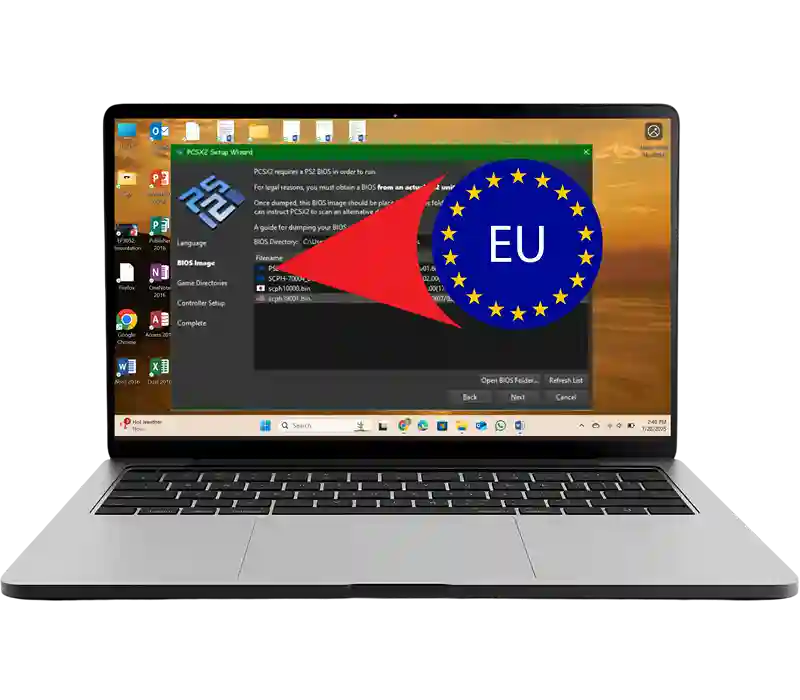
🎮 PS2 BIOS Europe in PCSX2
PAL vs NTSC – Key Differences
Most guides skip this part. That’s why so many European gamers stay confused.
PAL stands for Phase Alternating Line. It was the broadcast television standard used across Europe, Australia, and large parts of Africa and Asia. NTSC is the North American and Japanese equivalent.
Here’s what actually differs between them:
| PAL (Europe BIOS) | NTSC-U (USA BIOS) | |
|---|---|---|
| Frame rate | 50Hz | 60Hz |
| Resolution | 576i | 480i |
| Screen lines | 576 | 480 |
| Languages | 7 European languages | English only |
| Game speed | Built for 50fps | Built for 60fps |
That 10Hz gap has real consequences. PS2 games are built for their native frame rate, so a PAL game on an NTSC BIOS can cause audio desync, stuttering cutscenes, or even crashes.
PAL’s 576i resolution also creates black borders on modern widescreen screens. The BIOS doesn’t fix this—your emulator settings handle it in PCSX2.
A key PAL feature is PAL60 mode. Some games like Jak & Daxter, Ratchet & Clank, and Gran Turismo 3 support 60Hz output, which PCSX2 and AetherSX2 handle automatically when enabled.
Why PS2 BIOS Europe is Best for PAL Games
The rule is simple: match your BIOS to your game region. If your game ISO serial starts with SLES- or SCES-, it’s a PAL title and needs the PS2 BIOS Europe; using a USA BIOS like SCPH-30001 or SCPH-70012 creates a region mismatch that can cause black screens. The Europe BIOS also defaults to the correct language (English, French, German, Spanish, Italian, Dutch, Portuguese), which no other regional BIOS supports all at once. Plus, PAL timing ensures proper frame pacing for PAL ISOs, keeping audio in sync and gameplay running exactly as intended on European hardware.
PS2 BIOS Europe Download (Safe & Verified Files)
PS2 BIOS Europe files come in three formats. Know which one you need before downloading.
PS2 BIOS Europe Full Pack (All Versions)
A Europe-only file gives you just PAL BIOS files. Enough for all UK, EU, and Australia gaming.
A full BIOS pack bundles all regions — Europe, USA, Japan, China — in one ZIP. Useful when you want to switch regions without separate downloads.
A proper full pack includes:
Total compressed size: typically 30–60MB.
When in doubt, grab the full pack. You use the Europe file 90% of the time. The others sit ready for imports.
PS2 BIOS Europe Latest Version (4MB BIOS Files)
The PS2 BIOS Europe core BIN file is about 4MB, while a full pack (ROM1, ROM2, EROM, DVD ROM) is 8–16MB. Files smaller than 4MB are incomplete and won’t work. The latest stable version for emulation is BIOS v2.30 from SCPH-75004, the final firmware for European slim models.
How to Get a Safe & Verified PS2 BIOS Europe File
Before loading any BIOS into your emulator, verify three things:
The clearest confirmation: boot PCSX2 with no game inserted. You’ll see the blue PS2 browser screen with European language options. That’s your Europe BIOS working exactly as it should.
⚡ Quick Answer
PS2 BIOS Europe Versions (SCPH List)
The SCPH-50003 is the most recognised European PS2 BIOS. It shipped with the original “fat” PS2 — the chunky console that sat under televisions across the UK from 2000 to 2004.
Pick up any copy of Pro Evolution Soccer 4 or Burnout 2 from a UK charity shop today. The disc inside was designed to run on this exact BIOS.
Key details:
SCPH-70004 / SCPH-75004 Europe BIOS
Sony launched the PS2 Slim across Europe in September 2004. Smaller, quieter, and lighter — it became the console of choice for a second wave of European gamers.
Two key European slim BIOS versions exist:
SCPH-70004 — first slim revision. BIOS v2.20. Released with the original slim launch across Europe.
SCPH-75004 — final slim revision. BIOS v2.30. According to hardware documentation at ps2-home.com, the SCPH-75004 runs GH-037 and GH-041 mainboards — the most refined PAL hardware Sony ever manufactured.
🎮 Recommended BIOS
Best PS2 BIOS Europe Version for Emulators
It’s the final, most refined PAL BIOS. It loads faster than SCPH-50003. It handles late-era PAL titles — games like Singstar, Buzz!, and TimeSplitters: Future Perfect — with fewer hiccups.
The SCPH-50003 is the better choice if you specifically want fat-model firmware behaviour. Some very early PAL titles behave more accurately on it.
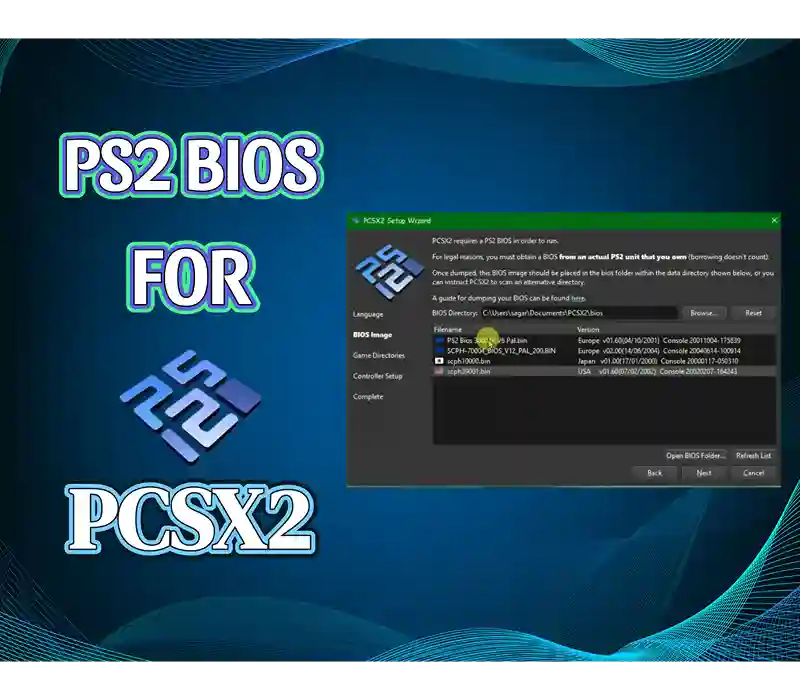
PS2 BIOS Europe All Versions & Compatibility
| Model | BIOS Ver | Era | Type | Best Use |
|---|---|---|---|---|
| SCPH-50000 | v1.90 | 2003 | Fat | Early PAL titles |
| SCPH-50003 | v2.00 | 2003–04 | Fat | Standard PAL library |
| SCPH-50004 | v2.00 | 2003–04 | Fat | UK/EU standard |
| SCPH-70004 | v2.20 | 2004–05 | Slim | First slim revision |
| SCPH-75004 | v2.30 | 2005–08 | Slim | Recommended for emulation |
PS2 BIOS Europe for PCSX2 & AetherSX2
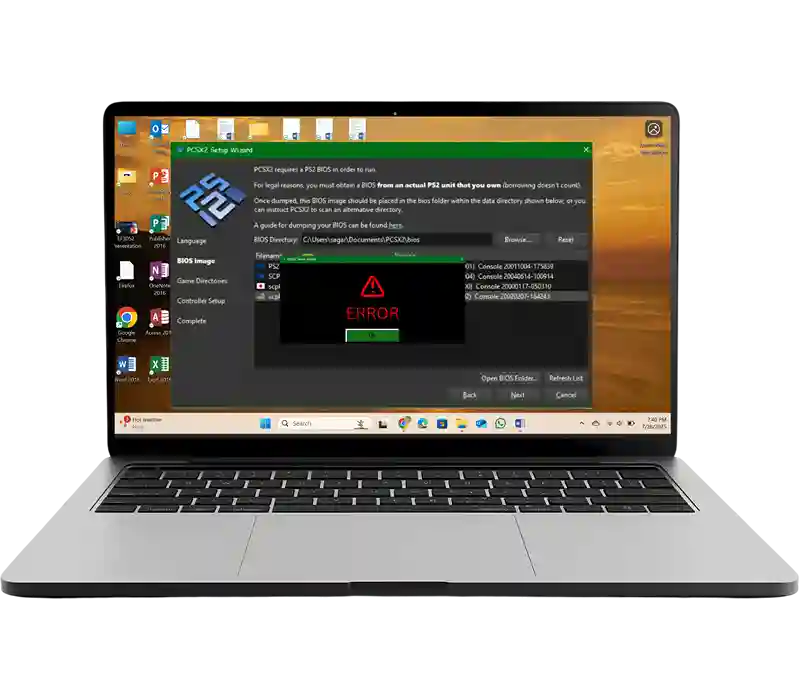
PS2 BIOS Europe for PCSX2 (Windows, Mac, Linux)
PCSX2 needs your BIOS files in a specific folder. Put them anywhere else — they won’t be found.
PS2 BIOS Europe for AetherSX2 (Android Setup)
AetherSX2 handles nearly all PAL titles. On flagship Android phones — a Samsung Galaxy S23, OnePlus 12, or Google Pixel 8 Pro — most PAL games hit full speed.
Before opening AetherSX2:
📂 Before opening AetherSX2
🚀 Now open AetherSX2
Your PAL game library appears. Tap any title to play.
🤖 Can I use PS2 BIOS Europe on Android?
BIOS Folder Location & File Setup Guide
Complete file structure for a working BIOS setup:
⚠️ Quick Tip
Multi BIOS Setup & Switching BIOS
Store multiple BIOS files in the same PCSX2 bios folder. PCSX2 lists every detected file in Settings → BIOS.
Practical approach: keep SCPH-75004 as your default for UK/EU/AU PAL gaming. Add SCPH-70012 (USA) for North American imports. Add SCPH-10000 for Japanese exclusives. Switch between them per session in under ten seconds.
No reinstall. No file management. One folder, multiple options.
How to Install PS2 BIOS Europe (Step-by-Step)
Extracting ZIP / RAR Files Correctly
One common mistake: extracting into a subfolder. PCSX2 needs files at the root of the BIOS directory — not inside a nested folder called “SCPH-75004.”
PS2 BIOS Europe File Location (Folder Setup)
After extraction, your folder should look clean and flat. All BIOS files visible at the top level. No nested folders. No renamed files.
File names must stay as extracted. Do not rename SCPH75004_0.BIN to something custom — PCSX2 reads the original naming convention to identify the file correctly.
BIOS Installation on PC & Android
PC (PCSX2):
Android (AetherSX2):
Common Mistakes During Setup
PS2 BIOS Europe Emulator Configuration
Best Settings for PCSX2
These settings are specifically tuned for PAL game performance. Generic guides miss these completely.
Renderer:
Fixing the 50Hz slowdown:
PAL games run natively at 50fps. If that bothers you, go to Game Properties → Patches in PCSX2. Enable any available 60fps patch for your specific title. These patches are maintained in the official PCSX2 patches repository on GitHub — community-tested, per-game fixes.
Alternatively, edit pcsx2.ini and change FrameratePAL=50.0 to 60.0. Note: this increases game speed by 20%. Test per title — audio may desync.
Removing black borders:
Go to Video Settings → Crop. Set top and bottom crop to 8 pixels. This removes PAL letterboxing without distorting the image.
Speed optimisation:
Enable MTVU in System → Speedhacks. This is the single biggest performance gain on any CPU with four or more logical cores. Also set EE Cyclerate to +1 for most PAL titles.
Fixing the 50Hz slowdown:
⚙️ Renderer by Device
- Snapdragon 8 Gen 1+ → Vulkan ✔
- 7xx / Dimensity 8xx → OpenGL
- Budget → Software mode
🎮 PAL Settings
- Skip Duplicate Frames ✔
- Frame Limit: 50 FPS
- EE Cycle: -1 (mid), 0 (flagship)
Performance Optimization & Lag Fix
💻 PCSX2
- MTVU speedhack ✔ (big boost)
- EE Cyclerate: +1
- 4x → 2x if FPS drops < 45
- Direct3D12 (better than D3D11)
📱 AetherSX2
- OpenGL → Vulkan (8xx+)
- Close background apps
- EE Cycle Rate: -1 (mid-range)
50Hz Refresh Rate & PAL Settings
Three options for handling PAL’s native 50Hz:
⚙️ Option 1
Keep 50Hz. Technically correct. Matches original PAL experience.
🎮 Option 2
Use PCSX2 widescreen/60fps patches. Clean & recommended method.
🛠 Option 3
Force 60Hz via ini edit. Advanced. May cause audio issues.
PS2 BIOS Europe Compatibility & Game Support
ISO & ROM Support Explained
PCSX2 and AetherSX2 support these PAL disc image formats:
| Format | Notes |
|---|---|
| .ISO | Most common — standard disc image |
| .BIN | Binary disc image |
| .CHD | Compressed — saves storage, works natively |
| .CSO | Compressed ISO |
| .ZSO | Alternative compressed format |
| .MDF | Media descriptor — less common |
.CHD is becoming the preferred format in 2026. It compresses disc images significantly without sacrificing compatibility. Most PAL game ISOs convert cleanly to CHD using chdman.
PS2 BIOS Europe PAL Games Compatibility
PAL game ISOs carry these serial prefixes:
If your ISO shows SLUS- (USA) or SLPS- / SLPM- (Japan), you need a different BIOS or a region patch. Matching serial prefix to BIOS region eliminates 95% of all boot failures immediately.
Best PAL games that run perfectly on PS2 BIOS Europe:
TimeSplitters 2
Developed by Free Radical Design, Nottingham. PAL build is the primary version.
Micro Machines V4
UK-developed, PAL-first. Codemasters, Southam, Warwickshire studio.
FIFA series
EA’s European FIFA builds target PAL market. Runs correctly on Europe BIOS.
Ratchet & Clank (PAL)
Multilingual. Europe BIOS unlocks all 7 language options from main menu.
Jak & Daxter (PAL)
Includes native PAL60 mode. Runs at 60Hz on compatible displays without patches.
EU, UK & Australia Game Support
PS2 BIOS Europe covers all PAL-B, PAL-G, PAL-I, and PAL-D broadcast regions:
United Kingdom & Ireland
PAL-I standard. Every game sold at GAME, HMV, Woolworths, and Argos from 2000 onwards.
Germany, France, Spain, Italy, Netherlands, Belgium, Austria, Switzerland
PAL-B/G. Full native language support in the BIOS.
Scandinavia
PAL-B. Denmark, Sweden, Norway, Finland all covered.
PS2 BIOS Europe vs USA vs Japan
| Feature | Europe BIOS (PAL) | USA BIOS (NTSC-U) |
|---|---|---|
| Video standard | PAL 50Hz | NTSC 60Hz |
| Resolution | 576i | 480i |
| Languages | 7 European | English only |
| Game serials | SLES / SCES | SLUS |
| SCPH codes | SCPH-50003 / 75004 | SCPH-30001 / 70012 |
| Best for | UK / EU / AU games | North American releases |
Which PS2 BIOS is Best for You?
| Your location | Your games | Use this BIOS |
|---|---|---|
| UK / EU / Australia | PAL (SLES / SCES) | SCPH-75004 Europe |
| USA / Canada | North American (SLUS) | SCPH-70012 USA |
| Japanese imports | NTSC-J (SLPS / SLPM) | SCPH-10000 Japan |
| Mixed library | Various regions | Full BIOS pack + switch as needed |
Common Errors & Fixes
Wrong folder
Most common cause on PC. Files must sit in Documents\PCSX2\bios\. Not desktop or downloads.
Incomplete pack
A solo BIN without ROM1 & ROM2 causes partial detection. Use a complete pack to load games properly.
Wrong BIOS region
If PCSX2 shows NTSC-U beside the model number, you downloaded the USA file. Download the PAL Europe version.
Android cache conflict
AetherSX2 may hold a broken detection state. Clear app cache → Storage → Clear Cache. Re-import from scratch.
Black Screen Issue Fix
Almost always a region mismatch. Work through this in order:
Lag & Performance Issues
💻 PCSX2
Enable MTVU speedhack. Set EE Cyclerate to +1. Drop internal resolution to 2x. Use Direct3D12 on Windows.
📱 AetherSX2
Switch to Vulkan (Snapdragon 8xx+). Close background apps. Enable Skip Duplicate Frames. EE Cycle Rate: -1 (mid-range).
BIOS File Errors & Compatibility Fix
❌ “BIOS not found”
After correct placement, click Refresh in PCSX2 Settings → BIOS. File list doesn’t auto-update.
⚠️ “Full Boot required”
Some PAL titles need Full Boot mode. Go to Settings → Emulation → Boot Mode → set to Full Boot.
🛠 Checksum error
Your BIN file is corrupted. Re-download a fresh pack and replace the existing file.
PS2 BIOS Europe File
The core BIN file is approximately 4MB. That’s the entire PS2 firmware in compressed form. It’s small because the PS2’s Emotion Engine is a fixed-function processor — its boot sequence is lean and purpose-built.
A full pack including all companion files runs 8–16MB. Still tiny by modern standards. Store it anywhere — it takes almost no space.
ROM1, ROM2, EROM & DVD Files
| File | Function |
|---|---|
| Main BIN | Core firmware — PS2 operating system |
| ROM1 | Basic input/output routines |
| ROM2 | European character sets and all 7 language data sets |
| EROM | Error handling and system recovery |
| DVD ROM | Disc drive calibration and laser data |
FAQs
Conclusion
Emulating PS2 BIOS Europe is the key to unlocking a seamless and enjoyable experience for European games. Whether you’re on PCSX2 or AetherSX2, getting the right BIOS is essential for smooth gameplay and compatibility. By following the legal and ethical guidelines, you can ensure that your emulation setup is both fun and responsible. Happy gaming!