
How to Play PS2 Games on a PS3
Can You Play PS2 Games on PS3? The Complete 2026 Guide
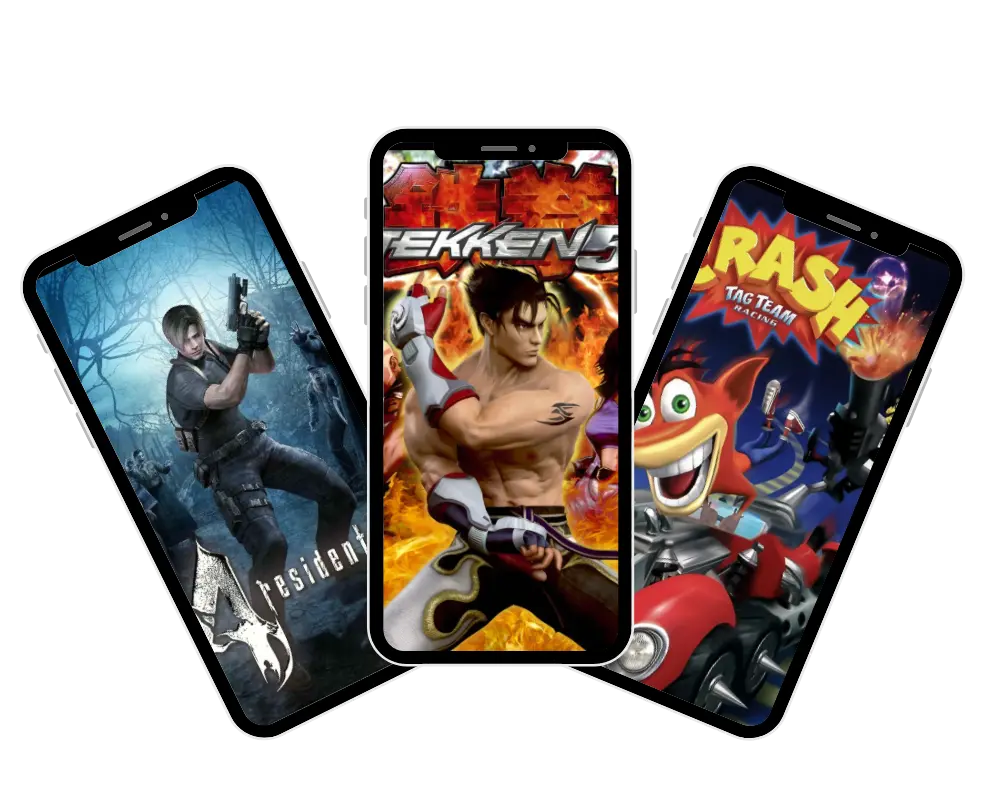
Only the PS3 Fat 20GB and 60GB models play PS2 discs natively — no setup required. The PS3 Fat 80GB works partially. PS3 Slim and Super Slim users need either Custom Firmware (CFW) or PS2 Classics from the PSN Store. Every PS3 model can access PS2 Classics digitally.
⚡ Quick links: [ps3 BIOS] → [ PCSX2 ] → [AetherSX2 ] → [Fix Errors] → [ps2 bios]
Yes — but it depends entirely on which PS3 you own. The original PS3 Fat 20GB and 60GB models are the only consoles in the PlayStation 3 lineup with true, hardware-level PS2 backward compatibility. If you want to play ps2 games on ps3, you can literally pop in a disc and it just works on those models. Every other PS3 model — the Slim, the Super Slim, and even the later Fat 80GB — either has limited software emulation or no PS2 disc support at all.
That said, any PS3 model can still play PS2 Classics bought digitally from the PlayStation Store, and jailbroken Slim units can run ISOs through CFW. So yes, you can play ps2 games on ps3, but the method completely depends on the model sitting under your TV right now.
Which PS3 Models Can Play PS2 Games on PS3?
This is where most guides get lazy and just say “the fat ones.” Let’s be specific, because the wrong model will waste your money.
Here is the full breakdown:
PS3 Fat 20GB and 60GB — The Only True Backward Compatible Models
These are the ones you want. The CECHAxx (60GB) and CECHBxx (20GB) launch models contain the actual Emotion Engine chip — the same processor Sony used inside the PS2. That chip is why these consoles run PS2 games flawlessly. Insert a disc, and the PS3 recognizes it, remaps your DualShock 3 buttons automatically, and launches the game exactly as it would on original hardware. Yes — but it depends entirely on which PS3 you own. The original PS3 Fat 20GB and 60GB models are the only consoles in the PlayStation 3 lineup with true, hardware-level PS2 backward compatibility. If you want to play ps2 games on ps3, you can literally pop in a disc and it just works on those models, while every other PS3 model — the Slim, Super Slim, and later Fat 80GB — either has limited software emulation or no PS2 disc support at all. That said, any PS3 model can still play PS2 Classics bought digitally from the PlayStation Store, and jailbroken Slim units can run ISOs through CFW, so the method depends entirely on the model you are using.
The easiest way to identify these models in person: they have four USB ports on the front panel. Every later PS3 model only has two. That four-port configuration is your green light.
I personally ran GTA San Andreas, Shadow of the Colossus, and Ico on a 60GB Fat for about three hours straight. Zero crashes, smooth performance, and the upscaled output actually looked better than I remembered on a CRT. These machines are the real deal — but they come with a catch I’ll get to in a minute.
PS3 Slim — No Native PS2 Support (But There’s a Workaround)
The PS3 Slim (CECH-2xxx and CECH-3xxx series) has no PS2 compatibility built in. Sony removed every trace of it when they redesigned the console in 2009. If you own a Slim, you have two legitimate options for ps2 games on ps3: buy PS2 Classics on the PSN Store, or install Custom Firmware and run PS2 ISOs. Both methods work well and are commonly used in 2026, depending on your setup and comfort level with CFW, so you can still enjoy ps2 games on ps3 even without native disc support.
PS3 Fat 80GB — Partial Compatibility (Software Emulation)
The CECHExx 80GB models removed the Emotion Engine chip to cut manufacturing costs but tried to compensate with software emulation for ps2 games on ps3. It works — sort of. Most popular PS2 titles run fine, but when playing ps2 games on ps3 you may still hit slowdowns, audio glitches, and occasional crashes on more demanding games. Think of it as the budget option: not reliable enough to depend on, but usable if it’s what you already have.
PS3 Super Slim — Completely Incompatible with PS2 Discs
The Super Slim (CECH-4xxx) is the most common PS3 on the used market in 2026 because it was sold the longest. It cannot play PS2 discs at all, so ps2 games on ps3 are only possible through digital PS2 Classics on PSN. No CFW support exists for most Super Slim firmware versions either, so for ps2 games on ps3 the jailbreak route is largely off the table.
How to Identify Your PS3 Model Using the Serial Number
Flip your console upside down. The model number is printed on the sticker on the bottom. Look for the CECH code for ps2 games on ps3 compatibility. CECHAxx and CECHBxx = you’re golden. CECHExx = partial. Anything else = no native ps2 games on ps3 disc support. If you’re shopping online, ask the seller to photograph that sticker before you buy.
Method 1 — Playing PS2 Discs on a Backward Compatible PS3 Fat
If you own a 20GB or 60GB Fat PS3, this is the simplest gaming experience imaginable.
Step-by-step:
That’s genuinely it. No settings to change, no downloads required.
🎮 What to Do If the Game Has Bugs or Slowdowns
Even on the best compatible models, a handful of PS2 titles have known issues. If your game freezes or has audio problems, try these fixes:
- Use an official Sony DualShock 3 — third-party controllers may cause input issues
- Go to Settings > System Settings > PS2 Disc Smoothing and turn it off
- Check community compatibility list on r/ps3homebrew for your game & model
⚠️ YLOD Warning — The Risk Nobody Talks About
Around 70% of original Fat PS3 models eventually develop Yellow Light of Death (YLOD), a thermal failure caused by aging solder joints between CPU and GPU.
PS2 emulation increases thermal load more than PS3 games because two architectures run together. Heavy PS2 usage can speed up failure in older units.
If buying a Fat PS3, budget for YLOD repair or consider proactive thermal paste replacement.
Method 2 — PS2 Classics on PlayStation Store (Works on Any PS3 Model)
This is the safest, cleanest method — and it works on every single PS3 model ever made.
What Are PS2 Classics?
PS2 Classics are officially licensed digital versions of PS2 games sold through the PlayStation Store. Sony runs them through a built-in software emulator on the PS3 hardware for ps2 games on ps3. Unlike playing a physical disc on a Fat model, ps2 games on ps3 via PS2 Classics also benefit from upscaling — games render at a higher resolution than the original PS2 output, which makes a noticeable difference on modern TVs.
How to Find and Buy PS2 Classics on PSN
Why You Can’t Find Every PS2 Game in the Store
Out of the 4,491 games ever released for PS2, only around 374 are available as digital PS2 Classics for ps2 games on ps3. Licensing issues, publisher shutdowns, and online-dependent titles are the main reasons the library stays incomplete for ps2 games on ps3. If your favorite game is not in the store — and there is a strong chance it is not — you are looking at either a physical Fat PS3 or the CFW method below.
Method 3 — How to Play PS2 Games on PS3 Slim Using Custom Firmware (CFW/HEN)
This is the method that opens up the entire PS2 library on a PS3 Slim for ps2 games on ps3. It requires more steps and carries real risk if done incorrectly — but for dedicated retro gamers, ps2 games on ps3 via this method is the most powerful option available.
🎮 What You Need Before Starting
- PS3 Slim (CECH-2xxx / CECH-3xxx) jailbreakable firmware
- USB drive formatted to FAT32
- Custom Firmware (Rebug or Cobra CFW – stable 2026 options)
- MultiMAN or webMAN MOD file managers
- reActPSN tool for PS2 ISO conversion
- PS2 Classics Placeholder file
- Legally ripped PS2 ISO files
⚙️ Step-by-Step Setup Guide
- Confirm PS3 firmware compatibility via r/ps3homebrew wiki
- Install correct CFW (follow model-specific guide carefully)
- Install MultiMAN via package manager
- Copy PS2 ISO to FAT32 USB drive
- Connect USB to PS3
- Move ISO to dev_hdd0/PS2ISO using MultiMAN
- Ensure ISO shows [PS2 Classic] tag
- Convert ISO using reActPSN
- Open PS2 Classics Placeholder in XMB
- Launch game from converted file
⚠️ Beginner Mistake (Important)
The most common beginner mistake is getting the folder path wrong. The PS3 file system is case sensitive.
dev_hdd0/ps2iso will not work. It must be
dev_hdd0/PS2ISO — capital P, capital S, capital I, capital S, capital O.
I cannot count how many frustrated hours I have seen people waste on this single error.
Is Jailbreaking Your PS3 Legal in the USA?
In the United States, jailbreaking a console you own is generally considered legal under the Digital Millennium Copyright Act (DMCA) exemptions established for software interoperability. However — and this is important — downloading PS2 ISO files for games you do not physically own is copyright infringement, regardless of how the files are used. This guide covers the technical process for users who own their original PS2 discs and want to run backups on their jailbroken hardware.
Can CFW Brick Your PS3?
Yes, if done incorrectly. A failed CFW installation can leave your PS3 unable to boot. Always follow the exact tutorial for your specific CECH model. When in doubt, ask on r/ps3homebrew before proceeding — the community is active and helpful.
PS2 Games Not Working on PS3? How to Fix Common Problems
🎮 Game Freezes or Crashes
Most commonly caused by incorrect ISO encryption on CFW setups, or a known incompatible title on a software-emulation Fat model. Check the compatibility list before assuming your setup is broken.
🎧 Controller Not Responding
Only official Sony DualShock 3 or SixAxis controllers are guaranteed to work during PS2 emulation. Third-party pads often fail to register in Slot 1. Try switching to an official controller first.
📁 ISO Won’t Load in MultiMAN
99% of cases are wrong dev_hdd0/PS2ISO path or ISO not properly encrypted via reActPSN. Recheck folder structure and redo conversion carefully.
Hardware vs Software Emulation — What’s the Real Difference?
Hardware emulation means the PS3 contains the actual Emotion Engine chip from the PS2. The console is not guessing how PS2 code should behave — it is running it on the original silicon. That is why the 20GB and 60GB Fat models have near-perfect compatibility.
Software emulation means the PS3’s Cell processor is translating PS2 instructions in real time through code. It works for most games, but complex titles — especially those that push the PS2’s memory subsystems or rely on precise timing — will show cracks: dropped frames, audio pops, incorrect rendering. The 80GB Fat and all CFW setups use software emulation.
The best PS3 model for playing PS2 games is unambiguously the 60GB Fat (CECHAxx) — hardware emulation, four USB ports, largest storage among launch models, and the most complete compatibility record of any PS3 ever made.
Where to Buy a Backward Compatible PS3 in the USA in 2026
The used market for Fat PS3s has grown significantly as retro gaming culture has expanded. Here is what you need to know before spending money.
💰 Average Price Range (2026)
- 60GB Fat (CECHAxx): $80–$160
- 20GB Fat (CECHBxx): $70–$130
- YLOD-repaired Fat PS3: $60–$100 (higher risk)
🔍 What to Look For
- Ask for CECH model code (not just “PS3 Fat”)
- Request video of PS2 disc boot
- Check YLOD history or repairs
- Confirm 4 USB ports on front (correct model)
⚠️ Red Flags
- Seller doesn’t know model number
- No proof of console working
- “Fully tested” but suspiciously cheap
- Any overheating history mentioned
Local sources — Facebook Marketplace, Craigslist, and retro game shops — are better than eBay for this purchase because you can test the unit in person before paying.
FAQs
Conclusion
From the Emotion Engine to the PlayStation Cloud, Sony’s evolution reflects a constant effort to preserve its gaming heritage. Whether through hardware emulation, digital downloads, or streaming, the ability to play PS2 games on PS3 bridges eras and keeps the classics alive.