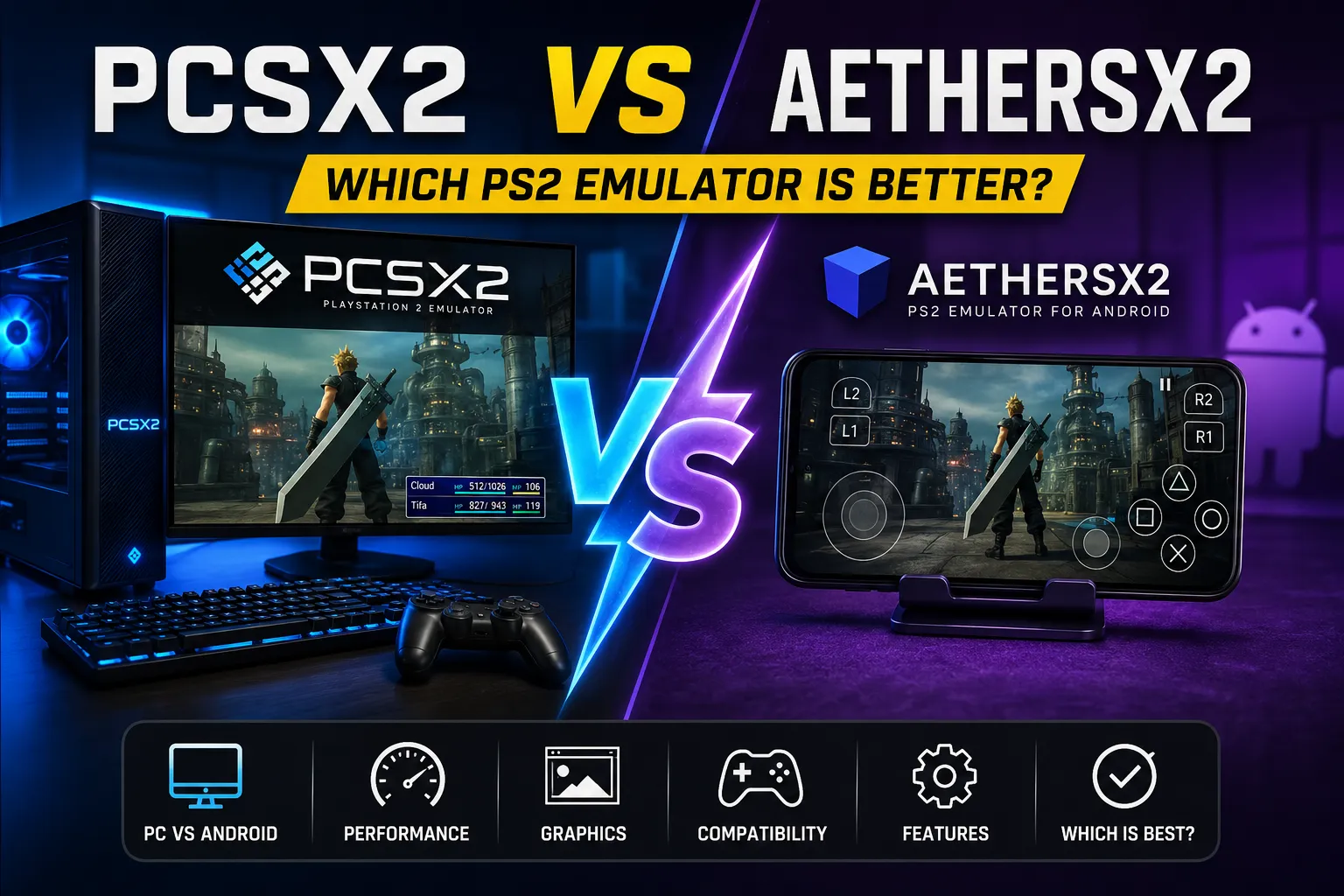
PCSX2 vs AetherSX2: Which PS2 Emulator Is Better?
The PlayStation 2 remains one of the most beloved consoles ever made. Its library is enormous, varied, and full of classic games. But playing those games today often means turning to emulation. Two names dominate the conversation: PCSX2 and AetherSX2.
PCSX2 is the veteran desktop emulator. For over two decades, it has been the primary way to play PS2 games on a PC. AetherSX2, by contrast, emerged much later as a way to bring PS2 emulation to Android devices. Both are built on similar foundations, but they target entirely different hardware. That single fact drives nearly every difference between them.
So, which is better? The honest answer is that it depends on where you want to play. If you want the best possible graphics, compatibility, and performance, PCSX2 on a desktop PC is the stronger choice. If you want portable PS2 gaming on a phone or handheld, AetherSX2 or one of its active forks is the logical path, even though it is no longer officially maintained. This comparison breaks down exactly why. For a broader look at the options, see our guide to the best PS2 emulator.
PCSX2 vs AetherSX2 at a Glance
| Feature | PCSX2 | AetherSX2 |
|---|---|---|
| Platform | Windows, Linux, macOS | Android |
| Target Devices | Desktops, laptops, x86 handhelds | Phones, tablets, ARM handhelds |
| Performance | High, assuming adequate desktop hardware | Varies widely based on mobile SoC |
| Compatibility | Very high, extensive game database | High, but dependent on device power |
| Graphics | Excellent upscaling, advanced post-processing | Good upscaling, limited by mobile GPU |
| Upscaling | Up to 4K and beyond | Up to 1080p/4K depending on device |
| Controller Support | Excellent, extensive input mapping | Good, Bluetooth/USB/touch controls |
| Configuration | Deep, granular settings for every option | Simpler, optimized for mobile UI |
| Development Status | Actively maintained, regular updates | Discontinued; community forks exist |
| Ease of Use | Moderate learning curve | Easier initial setup, fewer options |
| Hardware Requirements | Mid-range to high-end desktop CPU/GPU | High-end Android phone with Snapdragon |
| Best Use Case | Best fidelity and compatibility at home | Portable PS2 gaming on the go |
What Is PCSX2?
PCSX2 is a free, open-source PlayStation 2 emulator for desktop operating systems. It has been in development since the early 2000s. Over time, it has evolved from a clunky, hardware-hungry experiment into a polished, feature-rich emulator that can play the vast majority of the PS2 library at high resolutions.
History and Purpose
The project began with a simple goal: recreate the PS2’s complex architecture on standard PC hardware. The PS2’s Emotion Engine CPU and Graphics Synthesizer GPU were notoriously difficult to emulate. PCSX2 slowly overcame those hurdles through reverse engineering and community effort.
For years, PCSX2 required a powerful PC and a stack of plugins. In 2020, a major shift occurred. The team moved away from the plugin system, simplifying configuration and improving accuracy. Since then, PCSX2 has become much more accessible. It now ships as a single, self-contained application. Updates are frequent, and the compatibility list is excellent. You can find the latest builds on the PCSX2 official website or inspect the PCSX2 source code.
Supported Platforms
PCSX2 is available for:
- Windows
- Linux
- macOS
Most users run it on Windows. The macOS port has improved significantly but still lags behind in performance and compatibility due to differences in graphics APIs and ARM architecture on newer Macs.
How PS2 Emulation Works
An emulator simulates the hardware of the original console. The PS2 used a proprietary CPU called the Emotion Engine. It worked alongside two vector units and the Graphics Synthesizer. Modern CPUs must translate those instructions in real time. This is computationally expensive.
PCSX2 uses dynamic recompilation. That means it converts PS2 instructions into native x86 code on the fly. This is much faster than simple interpretation. It also explains why CPU single-thread performance matters so much. The main emulation thread does the heaviest lifting.
Graphics Rendering and Upscaling
PCSX2 supports multiple rendering backends:
- Direct3D 11
- Direct3D 12
- OpenGL
- Vulkan
Vulkan is often the best choice on modern systems. It offers lower CPU overhead and smoother frame pacing. OpenGL remains a solid fallback for older GPUs.
The emulator allows internal resolution scaling. A PS2 game can be rendered at 2x, 3x, 4x, or even higher its native resolution. Combined with anisotropic filtering and anti-aliasing, this makes old PS2 games look dramatically cleaner. Text becomes sharper, and distant details become visible. This is the single biggest visual advantage of desktop emulation.
Hardware Requirements
PCSX2 is less demanding than it used to be. A modern mid-range processor can handle most games. A dedicated GPU is still recommended for higher resolutions. Even integrated graphics can manage native resolution in many titles, though upscaling will require more power.
A typical entry-level setup might include:
- A quad-core CPU released in the last five years
- Any discrete GPU with Vulkan support
- 8 GB of RAM
- An SSD for faster loading
There is no exact universal minimum. Performance varies per game. Some demanding titles like Shadow of the Colossus or Gran Turismo 4 require more CPU headroom than lighter 2D games.
Controller Support
PCSX2 has excellent controller support. It works with:
- Xbox controllers
- DualShock 4
- DualSense
- Generic USB gamepads
- Bluetooth controllers
You can map every button individually. Pressure-sensitive buttons, a feature of the original DualShock 2, are supported with certain controllers and drivers. For most games, a modern controller works perfectly.
Game Compatibility
The PCSX2 compatibility list is vast. Thousands of games are listed as “Playable” or “Perfect.” The project continuously fixes bugs. While no emulator is perfect, PCSX2 is the most compatible PS2 emulator available. Some games still have minor graphical glitches or require specific settings, but the overall experience is smooth. The official PCSX2 compatibility list is the best place to check before you start a specific game.
Why PCSX2 Matters
PCSX2 is the foundation of modern PS2 emulation. Its code, research, and community have influenced every other project. It provides a stable, reliable way to preserve and enjoy the PS2 library on desktop hardware.
What Is AetherSX2?
AetherSX2 was an Android-based PS2 emulator. It debuted in late 2021 as a free alternative to the controversial DamonPS2. It used PCSX2’s core code, ported to ARM architecture. This allowed Android phones and tablets to run PS2 games with surprising speed and accuracy.
Purpose and Mobile Hardware
Mobile chips are built for efficiency, not raw single-thread performance. The PS2’s architecture is hard to emulate even on desktop CPUs. Running it on a phone is a significant technical challenge. AetherSX2 tackled this by optimizing the PCSX2 core for ARM processors, specifically targeting high-end Snapdragon chips from Qualcomm.
The app supported Vulkan and OpenGL ES. Vulkan is critical on Android because it reduces CPU overhead and improves performance on mid-range devices. AetherSX2 could upscale games to 1080p or even 4K on flagship phones, though sustained performance often caused thermal throttling.
Performance Considerations
AetherSX2’s performance is directly tied to your phone’s SoC. Flagship Snapdragon devices from the last few years run many games at full speed. Mid-range devices struggle with demanding titles. Games like Final Fantasy X might run fine, while Ratchet & Clank could slow down.
Thermal throttling is a major factor. Phones are small, passively cooled devices. Sustained emulation generates heat. After several minutes, the CPU may reduce its clock speed to avoid overheating. This causes frame rate drops, stuttering, or uneven frame pacing. Active cooling accessories can help, but they are not a universal fix.
Graphics Backends and Settings
AetherSX2 offered several settings:
- Renderer: Vulkan, OpenGL
- Internal resolution
- EE cycle rate
- EE cycle skip
- Texture preloading
- Hardware download mode
The EE cycle settings were important for performance. Lowering the cycle rate reduced CPU load but could break certain games. Raising it increased accuracy but demanded more power. Users often had to experiment per game.
Controller Support
AetherSX2 supported Bluetooth and USB controllers. It also included on-screen touch controls. The touch controls worked for slower RPGs but were poor for action games. A physical controller is highly recommended for serious play. Android natively supports DualShock 4 and Xbox controllers, making this setup straightforward.
Compatibility
AetherSX2 inherited much of PCSX2’s compatibility. Most games that worked on PCSX2 worked on AetherSX2, provided the phone had enough power. Some games required specific settings tweaks. Others exhibited graphical glitches not present on desktop due to driver differences on mobile GPUs.
Hardware Requirements
AetherSX2 did not have strict minimum specs, but practical guidance suggests:
- A Snapdragon 700-series or better for lighter games
- A Snapdragon 800-series for demanding games
- At least 4 GB of RAM
- Android 8 or newer
MediaTek Dimensity chips have improved, but Snapdragon remains the safest choice for driver compatibility.
Android-Specific Advantages
Portability is the obvious benefit. You can play Persona 3 FES on a bus. Android handhelds like the Retroid Pocket, AYN Odin, and Logitech G Cloud turned AetherSX2 into a console-like experience. For many users, the ability to play PS2 games on a handheld outweighs the visual and performance compromises compared to a PC.
Its Place in the Ecosystem
AetherSX2’s development stopped in early 2023. The developer cited personal reasons and the pressure of supporting such a widely used app. The app remained functional but received no further updates. That left it without support for newer Android versions, new GPU drivers, or new devices. Community forks, like NetherSX2, emerged to patch some issues and add minor features.
PCSX2 vs AetherSX2: Main Differences
The core difference is platform: desktop versus mobile. That single fact cascades into every other comparison.
- PC vs Android: A desktop PC has a powerful x86 CPU, a discrete GPU, active cooling, and unlimited power. An Android phone has an ARM SoC, integrated graphics, passive cooling, and battery constraints.
- Desktop CPU vs Mobile SoC: Desktop CPUs have much higher single-thread performance. Emulation loves single-thread speed. Mobile SoCs focus on efficiency cores and burst performance. Sustained loads cause them to throttle.
- GPU Performance: A desktop GPU can push 4K upscaling with post-processing. A mobile GPU can upscale too, but sustained frame rates are lower, and driver compatibility varies.
- Thermal Limitations: Desktops stay cool. Phones heat up. Throttling directly reduces emulation speed.
- Battery Consumption: PCSX2 uses wall power. AetherSX2 drains a phone battery rapidly. A two-hour session can eat 50% or more of a battery.
- Configuration Flexibility: PCSX2 offers dozens of settings. AetherSX2 simplified these for a mobile interface.
- Display Output: PCs connect to monitors or TVs. Phones have small screens, though they can use USB-C to HDMI output.
- Performance Consistency: Desktops deliver stable frame rates. Phones fluctuate as they heat up.
These platform-level differences matter more than the emulator code itself. Both share a common lineage, so the raw emulation logic is similar. The hardware determines the experience.
PCSX2 vs AetherSX2 Performance
Performance is not a simple emulator-versus-emulator contest. It is a hardware-versus-hardware contest. The emulator that runs on faster hardware will always win.
A modern desktop CPU like a Ryzen 5 7600 or Intel Core i5-13400 can run almost the entire PS2 library at full speed, often with headroom for upscaling. The single-thread performance of these chips is massive compared to a phone SoC.
A flagship phone with a Snapdragon 8 Gen 2 or 8 Gen 3 can also run many PS2 games at full speed. But it will do so while generating significant heat. After 20 or 30 minutes, the phone may throttle. The frame rate may drop from 60 FPS to 40 or 50 FPS. This is not a fault of AetherSX2. It is physics.
Frame pacing is another issue on mobile. Desktop GPUs and drivers are mature. Frame delivery is smooth. Mobile GPUs can exhibit micro-stutter, especially under Vulkan, due to driver overhead or shader compilation. This can make a game feel less smooth even when the average FPS counter shows 60.
Resolution scaling also affects performance differently. On desktop, going from 1080p to 4K requires GPU power. Most discrete GPUs handle this easily. On mobile, raising the internal resolution increases GPU load and memory bandwidth demand. Mobile memory bandwidth is limited. This can create bottlenecks that do not exist on desktop.
Ultimately, the same PS2 game can run perfectly on one device and poorly on another. The emulator matters, but the silicon matters more. Do not assume AetherSX2 is “faster” because it runs on newer ARM hardware. Modern x86 CPUs are significantly faster for this workload.
PCSX2 vs AetherSX2 Graphics Quality
Graphics quality is where PCSX2 pulls far ahead, assuming you have a capable PC.
PCSX2 allows extreme internal resolution scaling. You can run Final Fantasy XII at 8x native resolution, which is far beyond 4K. You can add anisotropic filtering to sharpen textures at oblique angles. You can apply anti-aliasing to smooth jagged edges. You can use widescreen patches to remove letterboxing. You can even use post-processing shaders to add CRT effects or color correction.
These features transform the look of PS2 games. A title that ran at 480i on original hardware can look like a modern remaster. The difference is striking on a large monitor or TV.
AetherSX2 also supports resolution upscaling. On a phone screen, 1080p rendering looks very sharp. Many phones have high-PPI displays, so upscaling beyond 2x or 3x native yields diminishing returns. The small screen hides many imperfections. A 720p render on a 6-inch phone looks cleaner than a 4K render on a 27-inch monitor because of pixel density.
However, mobile GPUs have limited memory bandwidth. They also rely on tile-based rendering, which can interact poorly with emulation’s framebuffer tricks. Some games exhibit graphical glitches or performance drops at high resolutions on AetherSX2 that do not occur on PCSX2. Driver maturity also plays a role. Adreno and Mali GPUs have quirks that desktop NVIDIA and AMD drivers do not.
Higher resolution does not automatically mean better emulation. Visual accuracy depends on correct rendering, not just pixel count. PCSX2 generally provides more accurate rendering and more consistent visual results.
PS2 Emulator PC vs Android
The choice between PS2 emulation on Windows and PS2 emulation on Android is really a choice about how you want to play.
Desktop PC PS2 Emulation
A desktop PC is the best platform for raw power and visual fidelity. You get:
- The highest possible frame rates
- The highest internal resolutions
- The most stable frame pacing
- The most accurate rendering
- The best controller options
- A large screen experience
- No battery drain or thermal throttling
The downside is that you are tied to a desk or couch. You cannot easily take your PS2 library with you. If you are exploring emulation options beyond PS2, you may also be interested in playing PS2 games on PS3.
Android PS2 Emulation
Android devices offer portability. You can play Dragon Quest VIII while commuting, traveling, or lying in bed. Modern Android handhelds make this even more convenient. A device like the Retroid Pocket 5 can run a large portion of the PS2 library at native resolution or 2x scaling in a pocketable form factor.
The tradeoffs are heat, battery life, and performance consistency. Long sessions can cause throttling. Battery drains quickly. The small screen is good for portability but not ideal for appreciating high-resolution graphics.
Which Platform Is Better?
- For maximum graphics quality: PC.
- For portability: Android.
- For performance: PC.
- For large-screen gaming: PC.
- For controller support: Both are good, but PC offers more options.
- For ease of setup: Android is often simpler to start, but PCSX2 has become much easier.
- For long gaming sessions: PC, unless you plug your phone into power and use a controller.
Neither platform is universally better. They serve different needs.
Which Is the Best PS2 Emulator for PC?
For desktop users, PCSX2 is the clear recommendation. It is actively maintained, highly compatible, and feature-rich. It runs on Windows, Linux, and macOS. The configuration options are deep enough for tinkerers but now include sensible defaults for beginners.
Alternatives exist. Play! is a cross-platform PS2 emulator that works on Windows, Android, and other systems, but its compatibility is far behind PCSX2. DobieStation is another project, but it is less mature. For most users, PCSX2 is the only realistic choice on PC. You can explore more options in our list of free PS2 emulators for PC.
The community support is extensive. The official forums, wiki, and Discord server provide help with per-game settings. The compatibility list tells you exactly what to expect. Active development means new fixes and performance improvements arrive regularly.
Which Is the Best PS2 Emulator for Android?
The Android PS2 emulation landscape is more complicated. AetherSX2 was the best choice for years, but its development has stopped. The app still works on many devices, but it is no longer updated. This creates risks. New Android versions may break compatibility. New GPUs may not be supported. Security issues may go unpatched.
Community forks, most notably NetherSX2, have picked up the torch. NetherSX2 is a patched version of AetherSX2 that removes ads, adds some fixes, and updates the build. It remains a niche project, but it is the most practical option for many users.
There is also Play!, but its Android performance is not competitive with AetherSX2-based forks for most games.
If you have a powerful Android phone or a dedicated Android handheld, an AetherSX2 fork is still worth installing. It provides a genuine PS2 emulation experience on the go. But you should understand that it is not actively developed in the same way PCSX2 is. You may need to experiment with settings, and some newer devices may have driver issues. For a broader look at mobile and desktop options, see our guide to the best free PS2 emulators.
PCSX2 vs AetherSX2 Compatibility
Compatibility is complex. Both emulators share the same PCSX2 core, so their theoretical compatibility is similar. In practice, compatibility diverges due to hardware and drivers.
A game that runs perfectly on a desktop PC with PCSX2 may run poorly on a phone with AetherSX2. This is usually a performance issue, not an emulation bug. The phone simply cannot keep up. Conversely, some games may have graphical glitches on mobile GPUs that do not appear on desktop GPUs. This is due to differences in driver precision and hardware features.
Compatibility should always be evaluated on a game-by-game basis. The PCSX2 wiki has detailed entries for most games, listing known issues and recommended settings. For AetherSX2, community spreadsheets and Reddit threads often document which games run well on specific devices. There is no universal compatibility percentage because performance varies so much with hardware. The PCSX2 compatibility list is the authoritative reference for desktop play.
Regional game differences also matter. A PAL game may run at 50 Hz, while an NTSC game runs at 60 Hz. Some emulator settings work better with one region. BIOS configuration and proper game dumps are essential for accurate emulation.
PCSX2 vs AetherSX2 System Requirements
PCSX2 on PC
PCSX2 is not as demanding as modern PC games. It relies heavily on CPU single-thread performance.
- CPU: A modern quad-core or better. Older CPUs with low IPC will struggle. Intel Core i3 or AMD Ryzen 3 from the last few generations are sufficient for most games.
- GPU: Any GPU with Vulkan or Direct3D 11 support. Integrated graphics work for native resolution. A discrete GPU like an NVIDIA GTX 1650 or AMD RX 6500 XT is enough for 1080p upscaling. Higher resolutions need more power.
- RAM: 8 GB is fine. 16 GB gives more headroom.
- Storage: An SSD is recommended. PS2 ISO files load faster, and shader compilation is smoother.
- OS: Windows 10 or 11, modern Linux, or macOS 11 or later.
AetherSX2 on Android
Mobile requirements are less precise.
- SoC: A Snapdragon 700-series or better. Snapdragon 800-series is recommended for demanding games. Older or low-end MediaTek chips will struggle.
- GPU: Adreno is preferred for driver maturity. Mali and PowerVR can work but often have more glitches.
- RAM: At least 4 GB. 6 GB or 8 GB is better.
- Android version: Android 8 or newer. Older versions lack Vulkan support.
- Thermal design: A phone with good cooling helps. Gaming phones with active fans sustain performance longer.
PCSX2 Settings for Better Performance
PCSX2 offers many settings. Here are the key ones:
- Internal Resolution: Lower it if you experience slowdowns. Native resolution is 480i/p. 2x or 3x is a good balance on modest hardware.
- Renderer: Vulkan is usually best. Try OpenGL or Direct3D 12 if you have driver issues.
- VSync: Disable it if you use a variable refresh rate monitor. Enable it to prevent screen tearing on fixed-refresh displays.
- Frame Limiting: Keep enabled to prevent games from running too fast.
- EE Cycle Rate: Lowering this can improve performance but may cause timing issues. It is a speed hack. Leave it at 100% unless a specific game needs adjustment.
- EE Cycle Skipping: This can cause stuttering. Avoid it unless absolutely necessary.
- Texture Filtering: Bilinear is the default. Force bilinear if a game has shimmering textures.
- Widescreen Patches: These apply geometry fixes for widescreen. They have a small performance cost.
- Game-Specific Settings: The PCSX2 configuration wiki lists recommended settings for many games. Always check it before tweaking.
AetherSX2 Settings for Better Performance
AetherSX2’s settings are similar but adapted for mobile.
- Renderer: Vulkan is usually faster. Use OpenGL if Vulkan crashes.
- Resolution: Start at 1x or 2x. Lower it if performance drops.
- EE Cycle Rate: Lowering to 75% can help weak devices. This may break some games.
- EE Cycle Skip: Use with caution. It causes frame skipping.
- Frame Skipping: The emulator may skip frames if it cannot maintain full speed. This reduces smoothness.
- Performance Mode: Some devices have a performance mode in the OS. Enable it.
- Texture Preloading: This can reduce stutter but uses more RAM.
- Device Temperature: If your phone throttles, reduce resolution, use a cooler, or play in shorter sessions.
Aggressive performance settings introduce graphical glitches or inaccurate emulation. Always prioritize stability over speed. A slightly slower game is better than a broken one.
Controller Support
PCSX2 excels at controller support. You can use virtually any Windows-compatible gamepad. The emulator lets you map every button, adjust analog stick sensitivity, and use pressure-sensitive buttons with supported controllers. You can also use keyboard and mouse for games that suit them.
AetherSX2 also supports Bluetooth and USB controllers. Android natively supports DualShock 4, DualSense, and Xbox controllers. You can refer to the Android gamepad support documentation for details. On-screen touch controls are available but poor for action games. A physical controller is essential for a good experience.
The desktop experience is more flexible. You have more options, better latency, and more granular configuration. For competitive or fast-paced games, this matters.
PS2 BIOS and Game Files
Both emulators require a PS2 BIOS file to function. The BIOS is the PlayStation 2’s firmware. It is copyrighted by Sony. You must dump it from your own console using a homebrew tool. You cannot legally download it.
The same applies to PS2 games. You must create ISO files from games you own. Discs can be dumped using a PC with a compatible DVD drive or homebrew software on a PS2. Downloaded PS2 ROMs or ISOs are copyrighted material. Distributing or downloading them is illegal in most jurisdictions.
The emulators themselves are legal. They do not include BIOS files or games. The responsibility for acquiring those files legally lies with the user. To learn the proper method, see our guide on how to dump your PS2 BIOS or the PS2 BIOS dumping guide. You can also review the official PCSX2 BIOS documentation.
Is AetherSX2 Still Worth Using?
AetherSX2 is still functional. If you already have it installed on a compatible device, it will continue to play games. The existing feature set remains useful. For many users, it is the best way to play PS2 games on Android.
However, the software is not actively maintained. The original developer stopped working on it. No new features are being added. No bugs are being fixed. Compatibility with new Android versions and new GPUs is uncertain. Over time, the app may become unusable on newer hardware.
Community forks like NetherSX2 address some of these concerns. They are patched, updated versions of the original app. They remove ads and add minor improvements. But they are small projects with limited resources. They are not a substitute for active, large-scale development.
If you want a PS2 emulator on Android, an AetherSX2 fork is still worth trying. It works surprisingly well on capable hardware. Just understand its limitations. Treat it as a tool that has reached its final form, not a project that will improve over time.
PCSX2 vs AetherSX2: Pros and Cons
PCSX2 Pros
- Actively maintained and updated
- Extensive compatibility database
- Excellent graphics customization
- High performance on modern CPUs
- Wide controller support
- Runs on Windows, Linux, and macOS
- Free and open source
PCSX2 Cons
- Requires a desktop or laptop
- Not portable
- Some games still require per-game settings
- Initial setup can be intimidating for beginners
- macOS performance lags behind Windows
AetherSX2 Pros
- Portable PS2 emulation
- Surprisingly good performance on high-end phones
- Decent graphics upscaling
- Bluetooth controller support
- Simple, mobile-friendly interface
- Free
AetherSX2 Cons
- Development has stopped
- No future updates or bug fixes
- Performance heavily dependent on phone SoC
- Thermal throttling reduces performance
- Battery drain is high
- Some games have mobile-specific glitches
- On-screen touch controls are poor
PCSX2 vs AetherSX2 for Different Users
- Desktop PC gamers: Choose PCSX2. No contest.
- Laptop users: Choose PCSX2. Modern laptops with decent CPUs handle most games. Use Vulkan and moderate upscaling.
- Android phone users: Choose an AetherSX2 fork if your phone is powerful. Expect to experiment with settings.
- Android tablet users: Larger screens make touch controls more viable, but a controller is still best. Performance is similar to phones.
- Android handheld users: AetherSX2 forks are excellent on devices like the Retroid Pocket 4 Pro or AYN Odin 2. They turn a handheld into a PS2 machine.
- Beginners: PCSX2’s default settings are now quite good. AetherSX2 is also easy to start. Both require BIOS and game dumps.
- Advanced users: PCSX2 offers deeper customization. AetherSX2’s simplified UI is less flexible.
- Users prioritizing graphics: PCSX2 on a desktop with a discrete GPU.
- Users prioritizing portability: AetherSX2 fork on a handheld or phone.
- Users with older hardware: PCSX2 on an older desktop may still work at native resolution. Older phones will struggle with AetherSX2.
PCSX2 vs AetherSX2: Which One Should You Choose?
There is no universal winner. The correct choice depends on your hardware and how you want to play.
Choose PCSX2 when:
- You have a desktop or laptop PC
- You want the best graphics quality
- You want the highest compatibility
- You want a stable, actively maintained emulator
- You play at a desk or on a couch with a large screen
Choose an AetherSX2 fork when:
- You want to play on a phone, tablet, or Android handheld
- Portability matters more than maximum fidelity
- You have a high-end Snapdragon device
- You accept that the software is no longer actively developed
For most dedicated emulation enthusiasts, PCSX2 on a desktop is the primary experience. It is the most reliable, feature-rich, and visually impressive way to play PS2 games. AetherSX2 fills a different role. It brings PS2 emulation to your pocket. That is a genuine achievement, but it comes with unavoidable compromises.
If you own both a gaming PC and a capable Android phone, use both. PCSX2 at home for the best experience. AetherSX2 on the go for convenience. The two are not competitors in a zero-sum game. They are complementary tools for accessing the same amazing library. To start building your collection, check out our list of the top PS2 games.
Frequently Asked Questions
Is PCSX2 better than AetherSX2?
PCSX2 is better on desktop PCs. It offers higher performance, more stable frame rates, better graphics, and active development. AetherSX2 is better for portable Android gaming. The “better” emulator depends on your hardware.
Is PCSX2 available on Android?
No. PCSX2 is only available for Windows, Linux, and macOS. AetherSX2 and its forks are the primary ways to use PCSX2-derived code on Android.
Is AetherSX2 better than PCSX2?
AetherSX2 is better for portability. It runs on Android devices. PCSX2 is better for raw power and compatibility. Neither is universally superior.
What is the best PS2 emulator for PC?
PCSX2 is the best PS2 emulator for PC. It is actively maintained, highly compatible, and feature-rich. It supports Windows, Linux, and macOS. See our best PS2 emulator guide for more.
What is the best PS2 emulator for Android?
The best PS2 emulator for Android is a patched AetherSX2 fork, such as NetherSX2. The original AetherSX2 is no longer updated but still works on many devices. Play! is another option but has lower compatibility.
Can AetherSX2 run PS2 games smoothly?
Yes, on high-end Android devices. A Snapdragon 800-series phone or newer can run many games at full speed. Mid-range devices may struggle with demanding titles. Thermal throttling can reduce performance during long sessions.
Can PCSX2 run PS2 games in 4K?
Yes. PCSX2 can render games at 4K and beyond, assuming you have a GPU powerful enough. Most modern discrete GPUs handle 4K upscaling for PS2 games easily.
Which PS2 emulator has better compatibility?
PCSX2 has better practical compatibility because it runs on faster, more stable desktop hardware. The underlying emulation core is shared with AetherSX2, but desktop PCs handle demanding games more reliably.
Is AetherSX2 still supported?
No. The original developer stopped working on AetherSX2 in early 2023. Community forks like NetherSX2 provide patched builds, but there is no large-scale active development.
What PC specs are needed for PCSX2?
A modern quad-core CPU, any Vulkan-capable GPU, and 8 GB of RAM are sufficient for most games. More demanding titles benefit from faster single-thread CPU performance. An SSD improves loading times.
What Android phone is good for PS2 emulation?
Phones with a Snapdragon 8 Gen 1 or newer, or a Snapdragon 870/888, work well. Gaming phones with active cooling sustain performance better. Avoid low-end MediaTek devices.
Is PS2 emulation better on PC or Android?
PS2 emulation is better on PC for performance, graphics, and stability. Android emulation is better for portability. The right choice depends on your priorities.
Do PCSX2 and AetherSX2 require a PS2 BIOS?
Yes. Both emulators require a PS2 BIOS file. You must dump it from your own PlayStation 2 console. Downloading it is illegal. See our PS2 BIOS dumping guide to learn the legal method.
Can PS2 games run at 60 FPS in an emulator?
Yes, but the original frame rate depends on the game. Many PS2 games run at 60 FPS natively. Some run at 30 FPS. Emulators do not automatically make 30 FPS games run at 60 FPS. They can only unlock the frame rate if the game supports it.
Why does a PS2 game run slowly in an emulator?
Slow performance is usually caused by insufficient CPU power. Emulation is CPU-intensive. Other causes include thermal throttling on mobile, incorrect settings, too high an internal resolution, or a game that is simply demanding to emulate.
What other emulators use a PS2 BIOS?
If you use RetroArch or Batocera, you may also need to configure a PS2 BIOS. See our guides for RetroArch PS2 BIOS setup and Batocera PS2 BIOS setup.